
Sophia - Footer
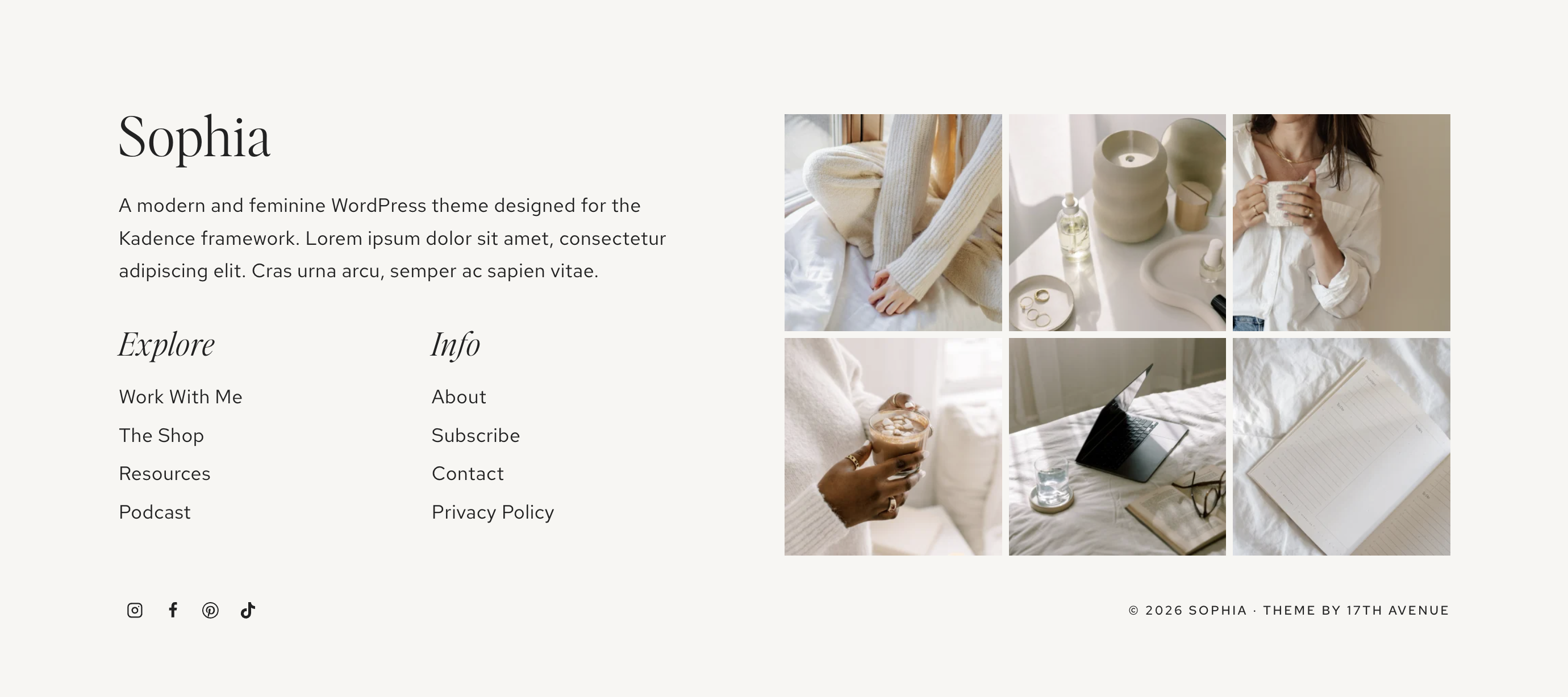
2-Column Footer
Go to WordPress > Appearance > Widgets. The 2-column footer in your theme utilizes the following widget areas:
- Footer 1: Site title, paragraph, 2 custom menus, and social icons
- Footer 2: Instagram feed
You're more than welcome to customize the footer, add/remove widgets, etc. Below we'll go over how the widgets are set up in the demo, but you can add just about anything you want! Other ideas could be a disclaimer, categories widget, archives widget, search widget, and more! You can also fully customize the layout of the footer using the Kadence Footer Builder.
Footer 1
"Sophia" Site title
This is an Advanced Text block set to H3. Click on the text to customize with your own site title.
Paragraph
This is an Advanced Text block set to Paragraph. Click on the text to customize with your own text.
Explore and Info Menus
- Go to Appearance > Menus and create 2 separate menus to use in your footer. A uniform number of links is strongly encouraged for correct alignment of the footer menus, e.g. 4 or 5 links in each menu.
- Go to Appearance > Widgets > Footer 1. Click on the first Navigation Menu widget, then select the new menu you created.
- Repeat for the other menu in Footer 1.
The social icons underneath the menus can be controlled at Appearance > Customize > Footer > Social. Learn more about social icons.
Instagram Feed
Click here for instructions on setting up the Instagram feed. The Instagram Feed is located inside Footer 2.
Footer Copyright/Credit
Go to Appearance > Customize > Footer > Copyright to edit the copyright and credit area.
To customize the appearance of the copyright (font, spacing, etc), go to Appearance > Customize > Footer > Copyright > Design.